

How it works
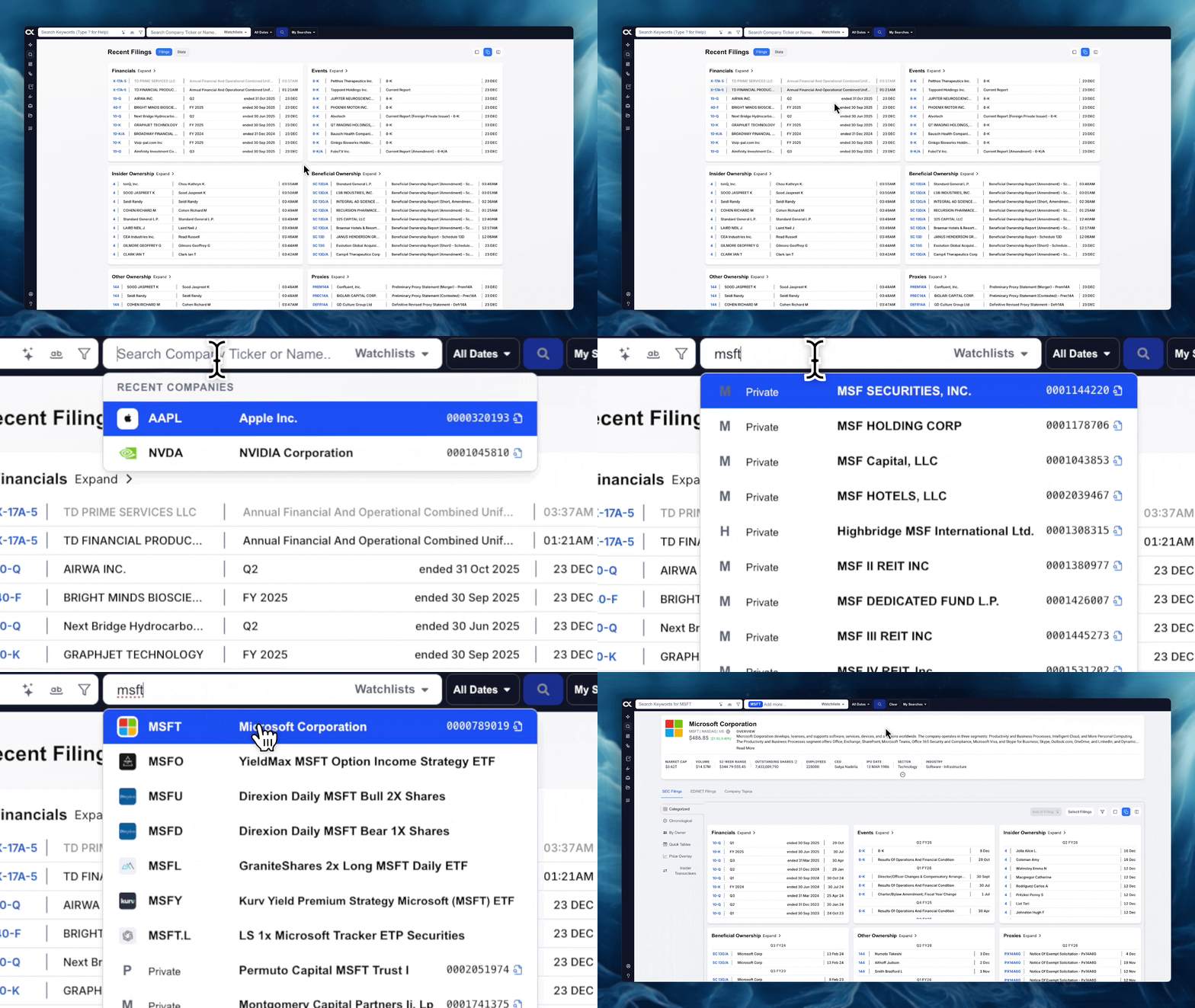
The Company & Ticker Search bar provides instant access to a dedicated company page, which serves as a comprehensive hub for all financial data, regulatory filings, and market information related to a specific entity.
Accessing the Company Page
To navigate to a company's dedicated page:
-
Action: Click the Company & Ticker Search bar located at the top of the interface.
-
Input: Enter a ticker (e.g.,
NVDA) or the name of any available entity (company, fund, country, person, etc.) and hit Enter. -
Result: You will be instantly redirected to the company's dedicated page.
👉 View inside Alpha Analyst: [Company Page]
Company Overview
The top section of the company page provides a quick summary of essential data points for the selected entity:
-
Identifiers: Name, Ticker, Exchange, and Country.
-
Descriptive Data: A brief company overview/description and a link to the official website.
-
Financial Features: Key metrics such as Market Cap, Volume, and other descriptive financial information.
Filings Navigator and Tabs
Below the company overview is the Filings Navigator, which functions similarly to the main platform navigator but is strictly filtered for the selected company.
-
Main Tab: You will always see the primary SEC Filings tab.
-
Other Tabs: Depending on the company's exchange, additional tabs like EDINET Filings (for Japanese companies) or Company Topics may also appear.

SEC Filings Sub-Categories
The SEC Filings tab offers several specialized views to analyze the company's regulatory documents.
Categorized
This is the default view, showing all SEC filings organized by filing type (e.g., 10-K, 8-K, Proxy).
- Filings can be opened for review or selected for use in the AI Chat feature.

👉 View inside Alpha Analyst: [Categorized]
Chronological
This view organizes filings by descending date, separating them into two columns:
-
Non-Ownership Filings: (e.g., Forms 10-K, 10-Q, 8-K).
-
Ownership Filings: (Forms 3, 4, 5 related to insider trading).
👉 View inside Alpha Analyst: [Chronological]
By Owner
This view focuses on beneficial ownership and insider activity, separated into two columns:
-
Insider Ownership: Shows transactions and holdings by company insiders.
-
>5% Ownership: Highlights ownership changes by major shareholders.

👉 View inside Alpha Analyst: [By Owner]
Quick Tables
This highly efficient page provides immediate access to the main tables extracted from financial filings (10-K/10-Q).
-
It displays Balance Sheet, Income Statement, Cash Flows, Comprehensive Income, and Shareholder's Equity tables.
-
You can easily compare them year-over-year and ask the AI Chat questions based on the table data.

👉 View inside Alpha Analyst: [Quick Tables]
Price Overlay
This feature integrates market data with regulatory events.
-
It shows a TradingView-powered stock chart with small circles overlaid on the price line.
-
Each circle represents a filing date, which you can select to open the filing or use its content to ask questions in AI Chat.
👉 View inside Alpha Analyst: [Price Overlay]
Insider Transactions
A dedicated table view focused exclusively on insider trading activity, showing comprehensive details:
- Columns include: Date, Owner, Security Type, Price, Units, and whether the transaction was a sale (Sold) or purchase (Bought).

👉 View inside Alpha Analyst: [Insider Transactions]