

Flexible Bulk Entity Management: From Direct Prompt Input to CSV
The AI Chat interface is a versatile tool for managing your Watchlists, allowing you to add multiple entities in bulk using various input methods. You can submit lists directly in the prompt or upload external files like CSV or TXT.
Methods for Submitting Entity Lists
The AI Chat supports several flexible ways to provide the entities you want to add to an existing Watchlist:
- Direct Prompt Input: Simply type the list of tickers or entity names directly into the chat prompt, separated by commas or line breaks.
- TXT File Upload: Upload a standard text file (
.txt) where each line contains one ticker or entity name. - CSV File Upload (Recommended for Large Lists): Upload a Comma Separated Values file (
.csv) for a structured, scalable way to manage long lists. - Example Prompt: "Add AAPL, MSFT, GOOGL, NVDA to my 'Tech Giants' watchlist."
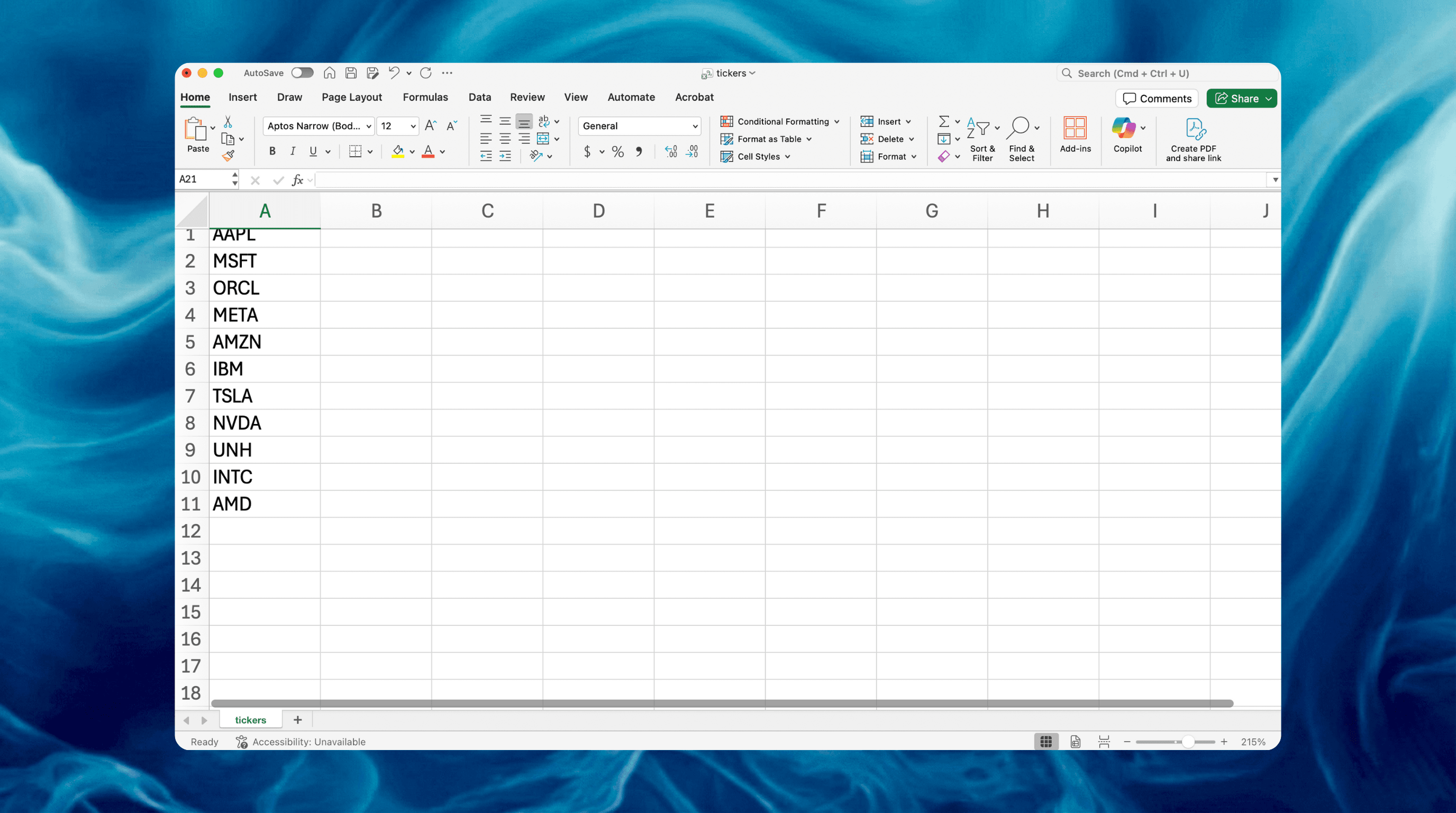
CSV Upload Example: Bulk Adding Tickers
Using a CSV file is the most efficient method for large-scale updates.
Uploading the CSV and Prompting the AI
- Prepare your CSV: Ensure your CSV file contains the tickers or entity names in a single column.
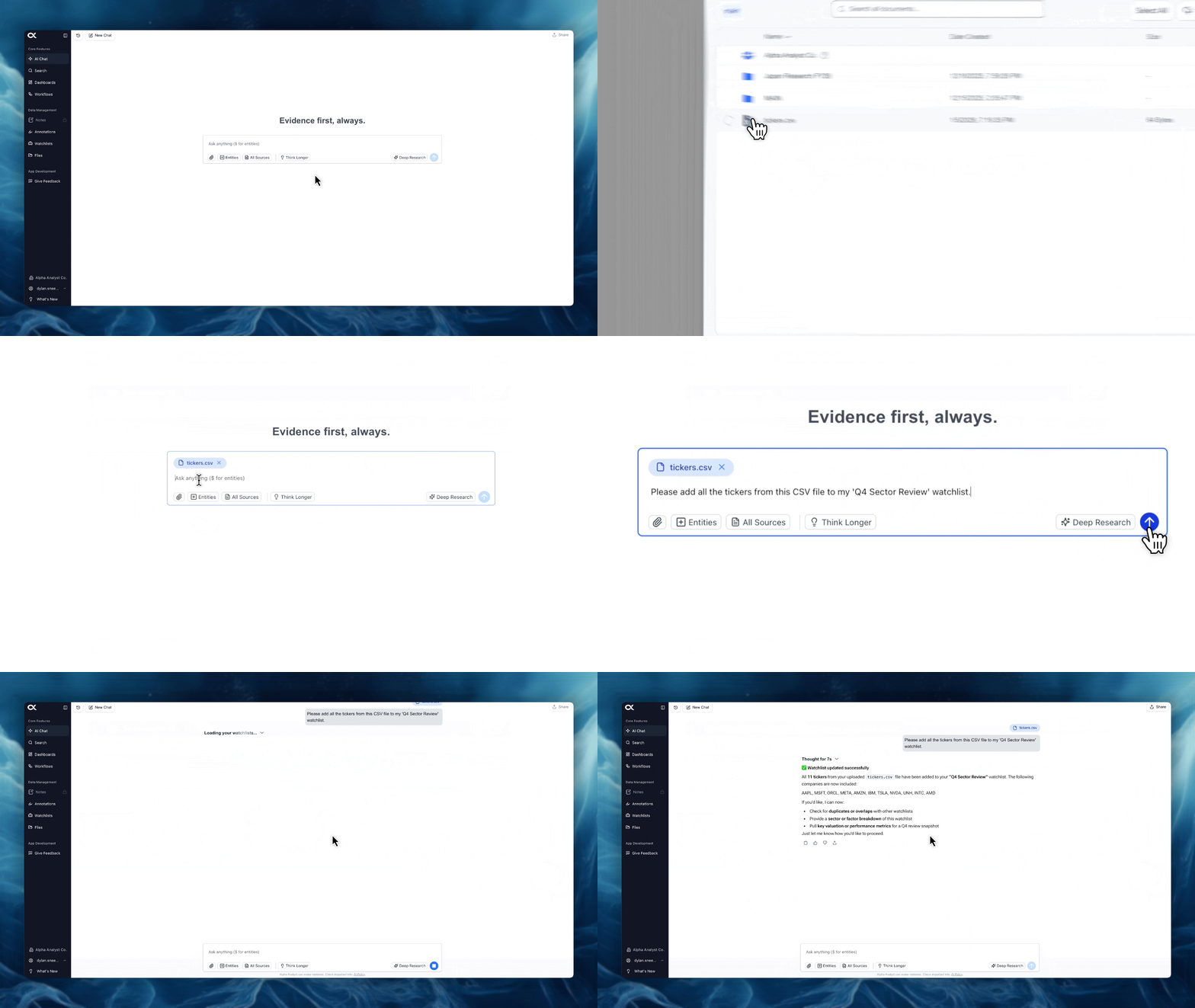
- Upload: Within the AI Chat interface, use the attachment icon () or drag and drop the CSV file into the chat window.
- Prompt the AI: Submit a request that clearly identifies the uploaded file and the existing Watchlist name where the entities should be added.
- Example Prompt: "Please add all the tickers from this CSV file to my 'Q4 Sector Review' watchlist."
Confirmation and Verification in Watchlists
- AI Processing: The AI will process the file, validate the entity names, and automatically update the designated Watchlist in the backend.
- Confirmation: The Chat will respond with a confirmation message, stating the number of entities successfully added.
- Watchlists: You can immediately verify the update by navigating to the main Watchlists feature section and checking the contents of the target list.
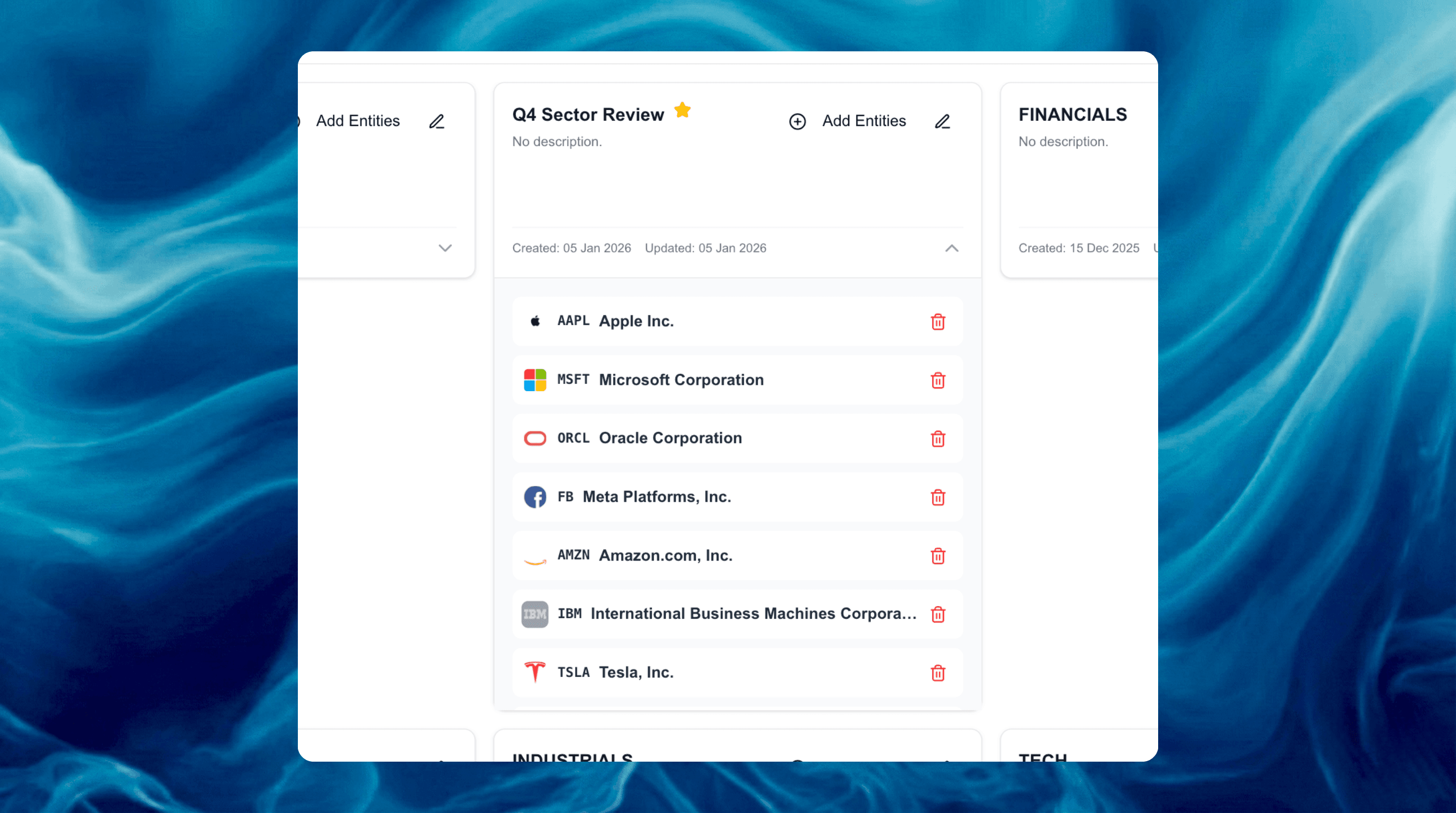
This capability significantly enhances efficiency by integrating external research and screening results directly into your Alpha Analyst monitoring system without manual data entry.