

How it works
While the primary Watchlists page lists all your saved collections, you can easily use the search bar to filter and apply specific sorting options to quickly locate and organize your Watchlists.
Filtering Watchlists
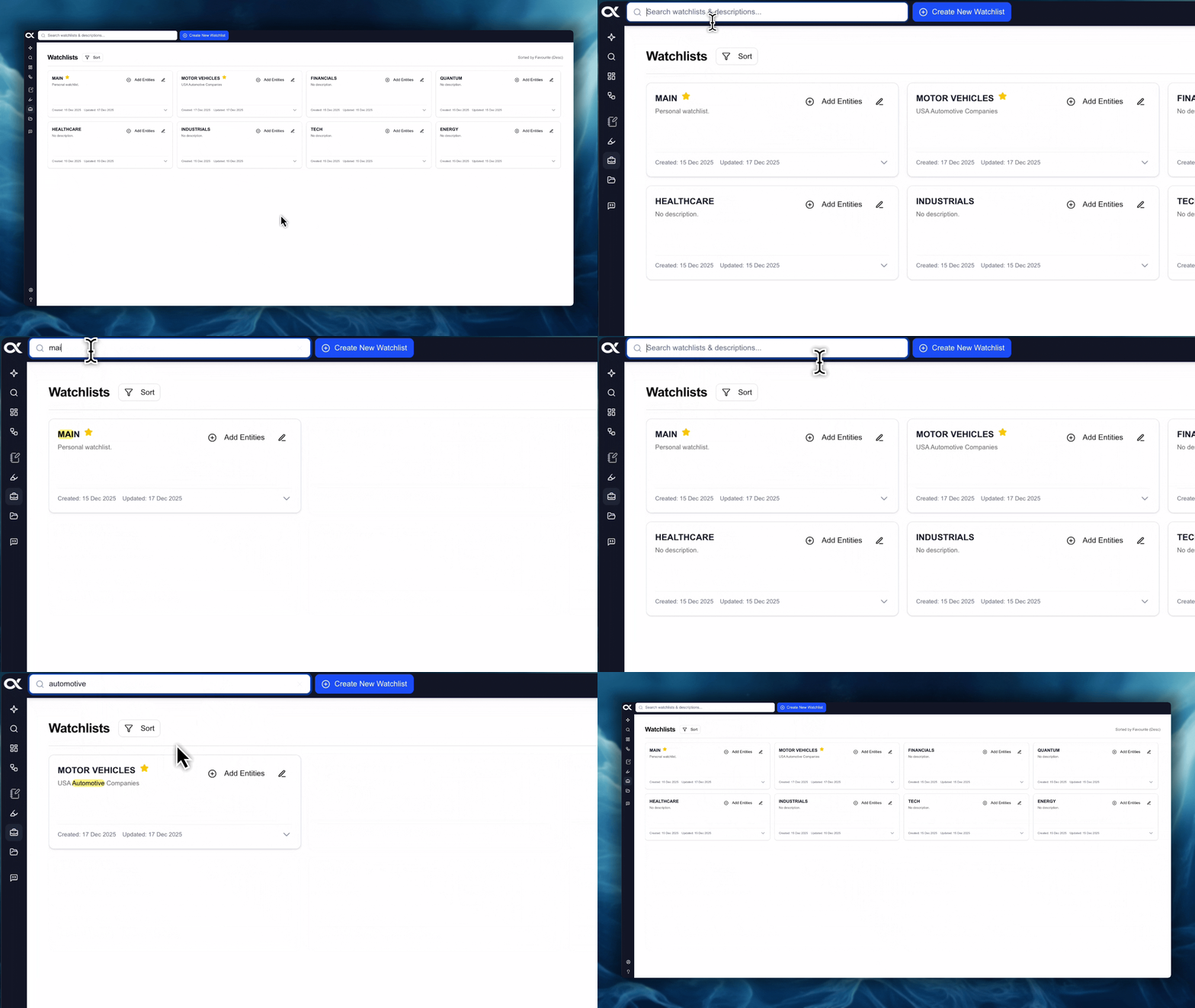
If you have a large number of Watchlists, the search bar at the top of the Watchlists interface helps you instantly narrow down the list.
-
Action: Enter a specific Watchlist Name or a relevant keyword from the Watchlist Description into the search bar.
-
Result: The display will automatically filter, showing only the Watchlists that contain your entered search term in either the name or the description.
-
Benefit: This is useful when you can't recall the exact name but remember the general purpose (description) of a list you created months ago.
Sorting Watchlists
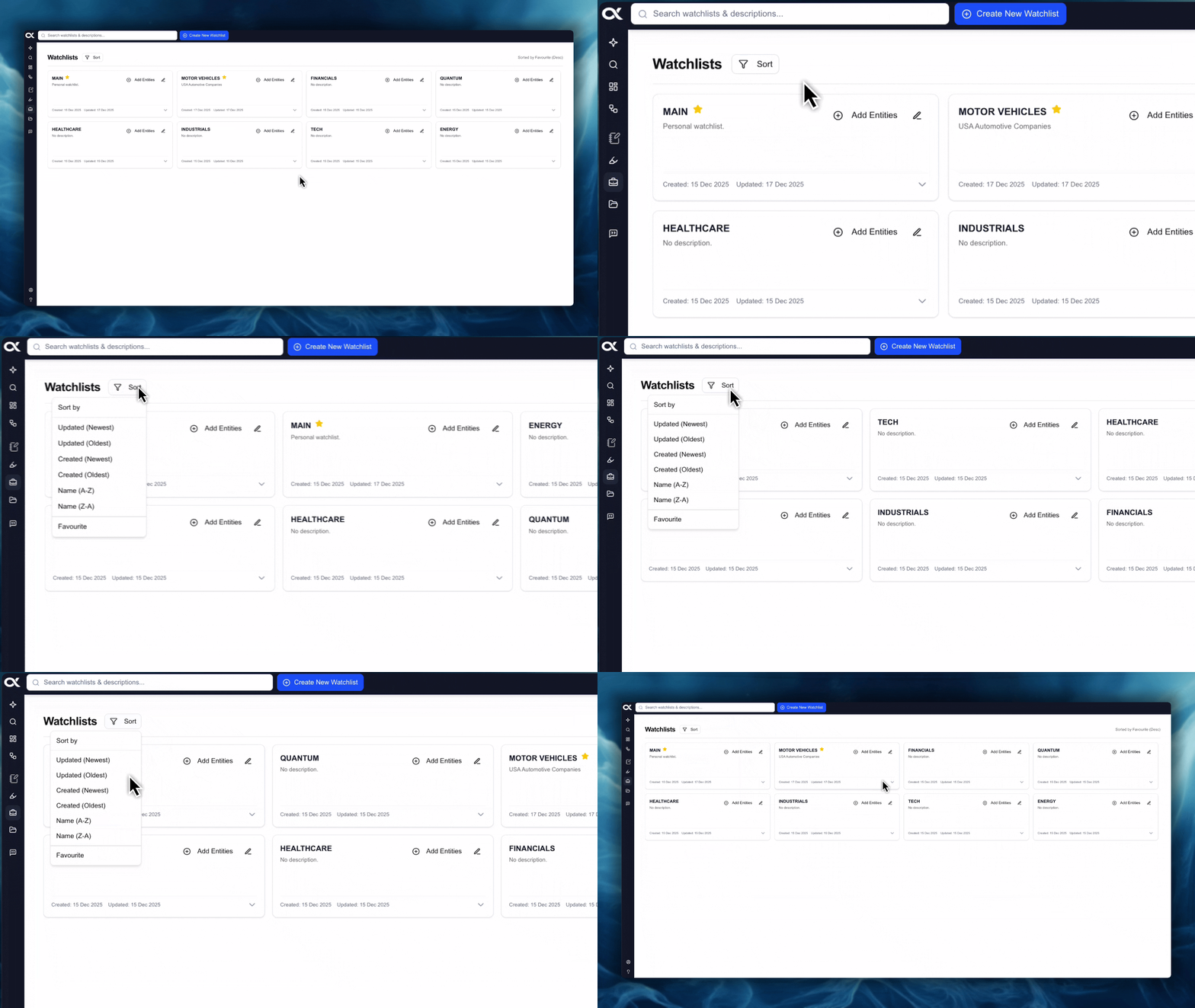
You can organize your Watchlists list based on several criteria to prioritize and locate them quickly.
| Sort Option | Description | Sorting Parameters |
|---|---|---|
| Updated | Based on the last time the Watchlist was modified (e.g., entity added/removed). | Newest / Oldest |
| Created | Based on the original date the Watchlist was first created. | Newest / Oldest |
| Name | Alphabetical sorting based on the Watchlist name. | A-Z / Z-A |
| Favorite | Prioritizes all Watchlists marked with the star status. | N/A (Toggles favorites to the top) |