

What Does Figma (FIG) Actually Do?
A plain-English walkthrough of Figma’s product suite, seat-based monetization, and the disclosures worth tracking in S-1/10-K filings

Table of Contents
The one-sentence answer: collaborative design software sold mostly by seats
What does Figma (FIG) actually do? In plain English, Figma builds cloud software that lets product teams design interfaces together in real time, then hand those designs to engineering and other stakeholders for review, feedback, and build-ready specs. It primarily monetizes via subscription plans that scale with the number and type of paid seats.
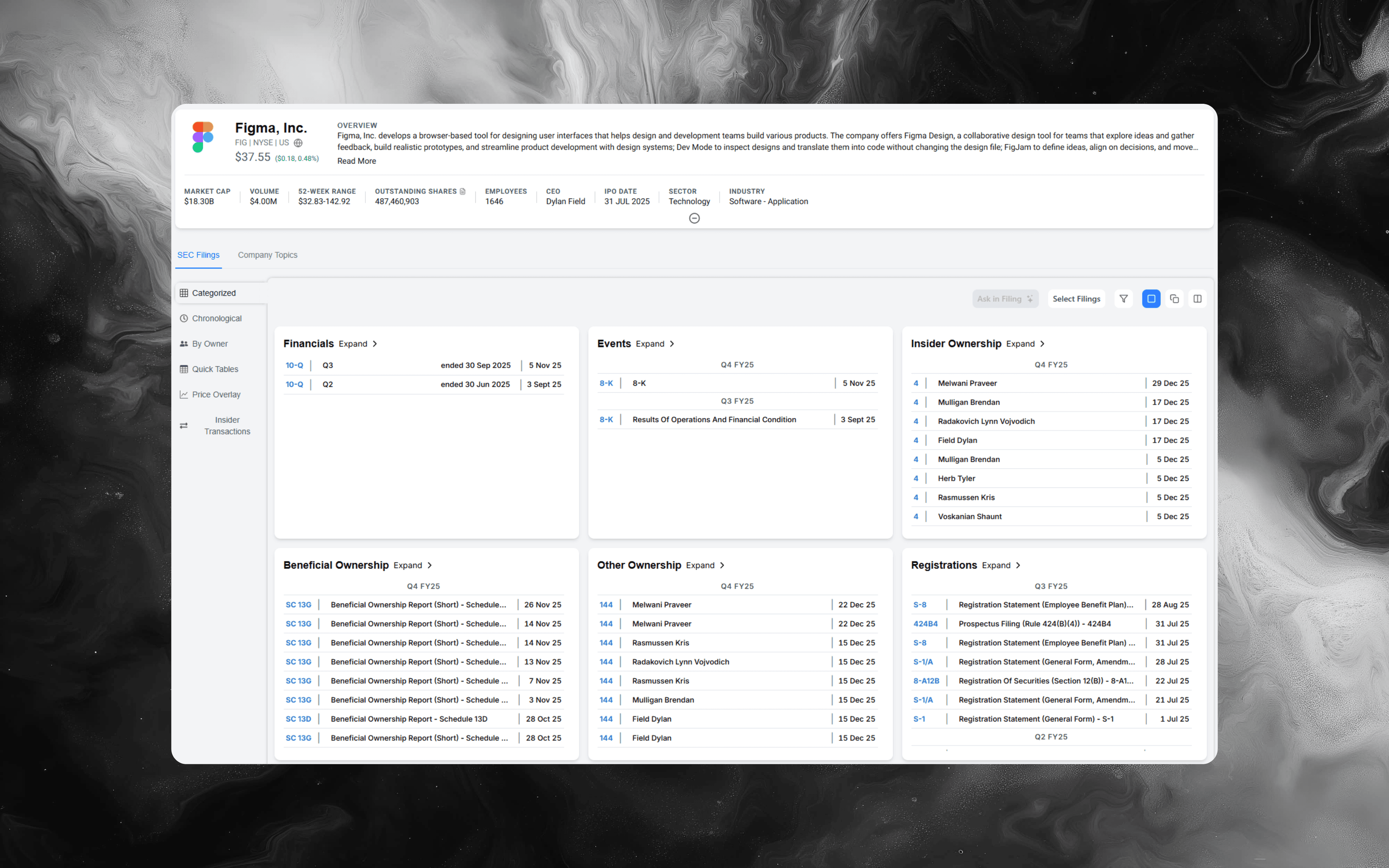
If you want the primary-source foundation (how the company describes its products, pricing mechanics, customer concentration, and risk factors), anchor on the filings inside Alpha Analyst here: Figma, Inc. (FIG)
A practical mental model: a “design system in the cloud” plus workflow add-ons
A useful way to think about Figma is not as a single design tool, but as a collaboration layer that sits across multiple workflows:
- Creation: designers (and increasingly broader teams) produce and edit design artifacts together
- Coordination: comments, approvals, and lightweight project communication happen where the work lives
- Delivery: developers inspect, measure, and translate designs into code with fewer back-and-forth cycles
- Governance: enterprises enforce permissions, security, and standardized components across teams
That’s why seat mix and expansion (who in the organization needs paid access, and for what) matters so much to the economic story.
What Figma sells (in analyst language) and who typically pays
You’ll usually see Figma described as collaborative design software, but to analyze it, translate the product into who uses it and what job it replaces:
-
Design workspace (the core editor experience)
The “system of record” for UI/UX designs and shared component libraries. Paid editor seats are typically the first monetized wedge. -
Whiteboarding and early ideation tools
Used to align on flows and concepts before detailed UI is produced. Often broadens usage beyond design. -
Developer handoff and inspection workflows
Used by engineering to inspect designs, extract specs, and reduce ambiguity. This can introduce lower-cost seat types for larger dev orgs. -
Enterprise controls and administration
Security, permissions, centralized management, and compliance-related capabilities that matter most for large org deployments.
Analyst takeaway: product breadth is not just feature growth; it is a packaging strategy that increases the addressable “paid seat surface area” inside a customer.
How Figma makes money: the seat expansion loop (step-by-step)
Here’s a repeatable operating loop that connects day-to-day usage to reported results:
-
Start with individual adoption
Teams begin collaborating because the product works well out of the box and sharing is easy. -
Convert the active creators into paid seats
Monetization tends to focus first on the people doing the most creation and editing. -
Land-and-expand across functions
As more stakeholders participate (product managers, researchers, marketing partners, engineering), collaboration increases and paid seats can expand by role. -
Move up-market through governance needs
Larger deployments typically require stronger admin, security, and controls, which can drive plan upgrades. -
Defend retention by embedding into workflows
The more a customer standardizes components and processes around the platform, the harder it is to unwind, and the more value the platform provides per seat.
When you read filings, look for language that ties product adoption to expansions, pricing changes, and packaging changes. That’s often where the “why” behind revenue performance is hiding.
The numbers that usually matter most in filings for a seat-based SaaS
When a company sells subscriptions by seat type, a small set of metrics and disclosures typically carry the most signal. In Figma’s filings, build your review around these themes:
-
Revenue composition and subscription terms
Watch for changes in how plans are packaged, billed, and recognized (for example, shifts in annual vs monthly mix). -
Customer concentration and enterprise exposure
Identify whether growth is being driven by a small number of very large customers or broad-based adoption. -
Retention and expansion signals
Any commentary on renewals, seat expansion, or customer cohort behavior tends to be high leverage for forecasting. -
Remaining performance obligations (RPO) and backlog-like indicators
These disclosures can help you triangulate forward revenue visibility for subscription businesses. -
Sales and marketing efficiency and route-to-market evolution
Product-led growth can coexist with enterprise sales motion. Filings often reveal where the mix is moving and why.
Risks to track that are specific to collaborative software platforms
A focused risk checklist (use it every filing cycle):
-
Packaging and pricing transitions
Seat-type changes and plan redesigns can improve monetization, but can also create churn risk if mis-executed. -
Platform reliability and security expectations
Cloud collaboration tools win trust over time; incidents can have outsized brand impact in enterprise accounts. -
Competitive bundling pressure
Design and productivity ecosystems can be bundled. Watch how the company frames differentiation and switching costs. -
International exposure and procurement cycles
Enterprise procurement timing, budget scrutiny, and regional buying patterns can introduce lumpiness.
Keep your notes grounded in what the company actually discloses, then supplement with your own monitoring across releases and customer behavior.
High-signal keyword searches to run every quarter
If you cover Figma repeatedly, reuse the same search pack so you can compare disclosure drift over time:
- "subscription" NEAR "revenue"
- "seat" OR "seats" NEAR "pricing" OR "plan"
- "enterprise" NEAR "security" OR "administration" OR "controls"
- "retention" OR "renewal" OR "churn"
- "remaining performance obligations" OR "RPO"
- "customer concentration" OR "significant customers"
- "competition" NEAR "bundled" OR "platform" OR "switching"
- "data security" OR "privacy" OR "outage" OR "availability"
In Alpha Analyst, proximity operators and phrase matching help keep these searches tight so you pull the passages that explain the business, not generic mentions.
A faster workflow to understand Figma in Alpha Analyst (without re-reading everything)
If you’re building repeatable coverage, turn your process into a system:
-
Save a “Figma core pack” of searches
One pack for monetization (seats, pricing, RPO), one for enterprise controls (security, admin), and one for risks (competition, reliability). -
Pin the searches to a monitoring dashboard
Add widgets for Recent Filings plus your saved searches filtered to Figma, so new disclosures surface immediately. -
Use AI Chat to turn disclosure into decision-ready notes
Example prompts:- “Summarize how Figma describes its pricing and seat types in this filing, and list the passages it relies on.”
- “What changed in risk factors related to security, reliability, or competition versus the prior filing?”
- “Pull the most important paragraphs on remaining performance obligations and explain what they imply for revenue visibility.”
-
Annotate the few passages you’ll need again
Highlight definitions, pricing language, and the most concrete statements about retention/expansion. Next quarter, you’ll update faster and with less rework.
For analysts looking to apply similar research habits to other multi-segment and SaaS models, reviewing what other software companies actually do can help sharpen your mapping and diligence checklist.
Explore Figma filings in Alpha Analyst
The fastest way to understand what Figma actually does is to treat the filings like an operating manual: product scope, packaging, unit economics logic (seats), and the risks that can break the expansion loop.
Go straight to: Figma, Inc. (FIG)
CTA: Use Alpha Analyst to build a reusable Figma search pack (seats, pricing, retention, RPO, and risk factors), pin it to a dashboard, and let each new filing update your view in minutes instead of hours.
Related Posts
View all posts →
January 31, 2026
Fed Chair Nomination News: What Hassett’s Comments Signal
A practical guide to tracking Fed leadership changes, confirmation risk, and market reactions using filings, search, and dashboards

January 29, 2026
New York Fiscal Crisis: A Company Impact Playbook
How to map NYC budget stress to revenue, taxes, real estate, and credit risk across US equities

January 29, 2026
Monetary Debasement and the US Dollar: A Company Playbook
What “currency going to hell” really means, what could come next for USD, and how US businesses can defend margins, cash flows, and valuation

January 16, 2026
Amgen (AMGN) Deep Dive: Products, Pipeline, and Key Risks
A practical equity-research playbook for underwriting the next leg of growth, margin durability, and biosimilar exposure

January 16, 2026
Daikin Industries (6367): A Deep-Dive Equity Research Playbook
Business model, segment drivers, key risks, and how to build a thesis faster in Alpha Analyst
Explore More
View all posts →
February 4, 2026
Software Stocks and AI Disruption Fears: Investor Playbook
How to evaluate “AI risk” claims, pressure-test seat-based pricing, and track what matters in filings using Alpha Analyst

February 4, 2026
Enphase (ENPH) Upgrade After Earnings: What Changed
A practical investor brief on the BMO upgrade, Q4 beat, 2026 guideposts, and how to track follow-through in Alpha Analyst

February 4, 2026
Tether fundraising report: what changed and how to track it
A practical framework for monitoring stablecoin issuer valuation, liquidity, and regulatory signals with Alpha Analyst