
What Is It?
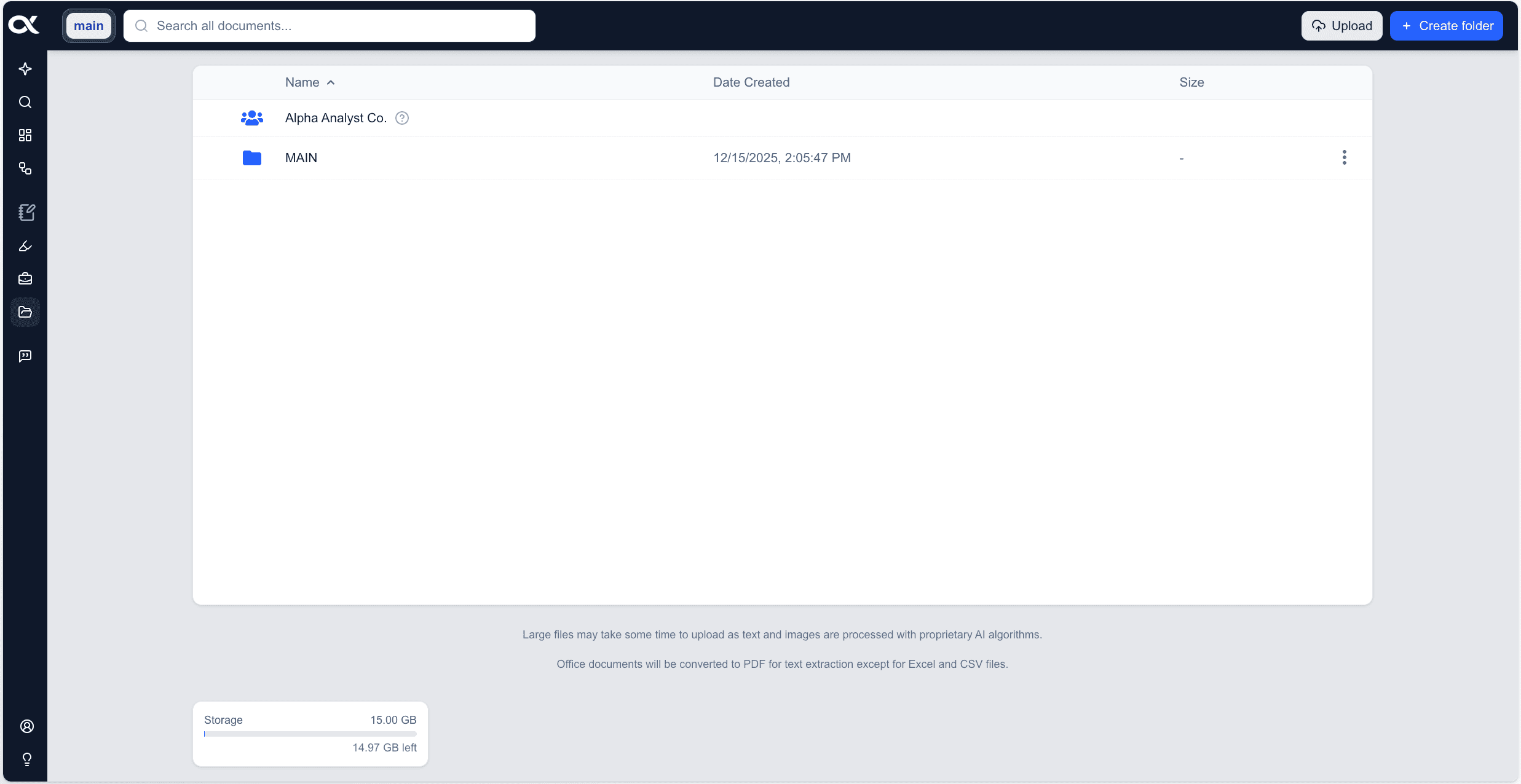
The Files feature is an integrated, secure document management system that allows you to upload, organize, and manage your proprietary or third-party research documents directly within the platform.
Functionally similar to a private document repository, Files provides dedicated folders for both personal use and shared access within your organization.
The primary benefit is the seamless integration of these uploaded documents into the platform's core research capabilities. Once uploaded, your documents are aggregated into the central data index, enabling them to be instantly discoverable via Document Search, utilized by AI Chat for source-backed answers, and incorporated into custom research Workflows.
Why Use It?

Leveraging the Files feature is critical for accelerating due diligence and ensuring the most accurate, comprehensive financial analysis possible. By centralizing all research—platform-sourced public data and your own proprietary documents—you create an all-in-one analytical environment.
-
Comprehensive Accuracy: Incorporating internal documents (e.g., proprietary models, private memos, consultant reports) with external data provides a 360-degree view, leading to higher-quality investment decisions.
-
Accelerated Due Diligence: Eliminate the time wasted switching between the platform and external document managers. Documents are instantly searchable and usable across all features.
-
Risk Mitigation: The ability to toggle your uploaded documents on or off via the Sources filter within features like AI Chat and Document Search gives you precise control over the data being queried, ensuring you can limit the scope to specific research sets when needed.
Basic File Management
Organizing and Uploading Your Proprietary Documents into the Platform
The Files feature provides a secure, intuitive environment for managing your proprietary research, making it instantly accessible and searchable across the platform. Basic file management functions allow you to organize, upload, and maintain your document library with ease.
Creating a New Folder
Folders are essential for organizing your documents by project, company, or type.
-
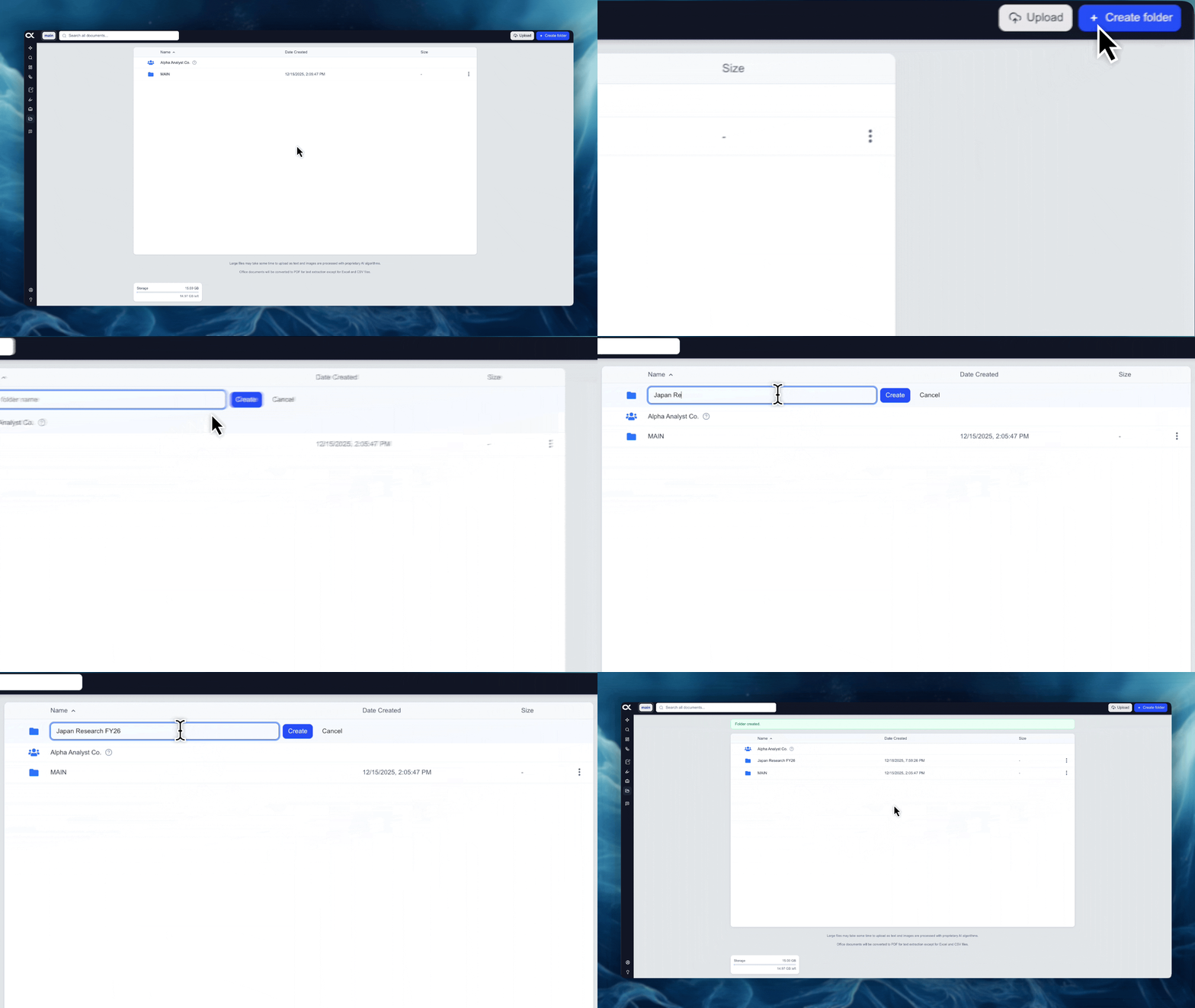
Action: Click the "Create folder" button, typically located in the top-right corner of the Files interface.
-
Process: Enter a descriptive name for your new folder and confirm the creation.
-
Benefit: This provides structure, especially as your library of private documents grows.
Navigating Folders
Easily move through your organized document structure to access the specific files you need.
-
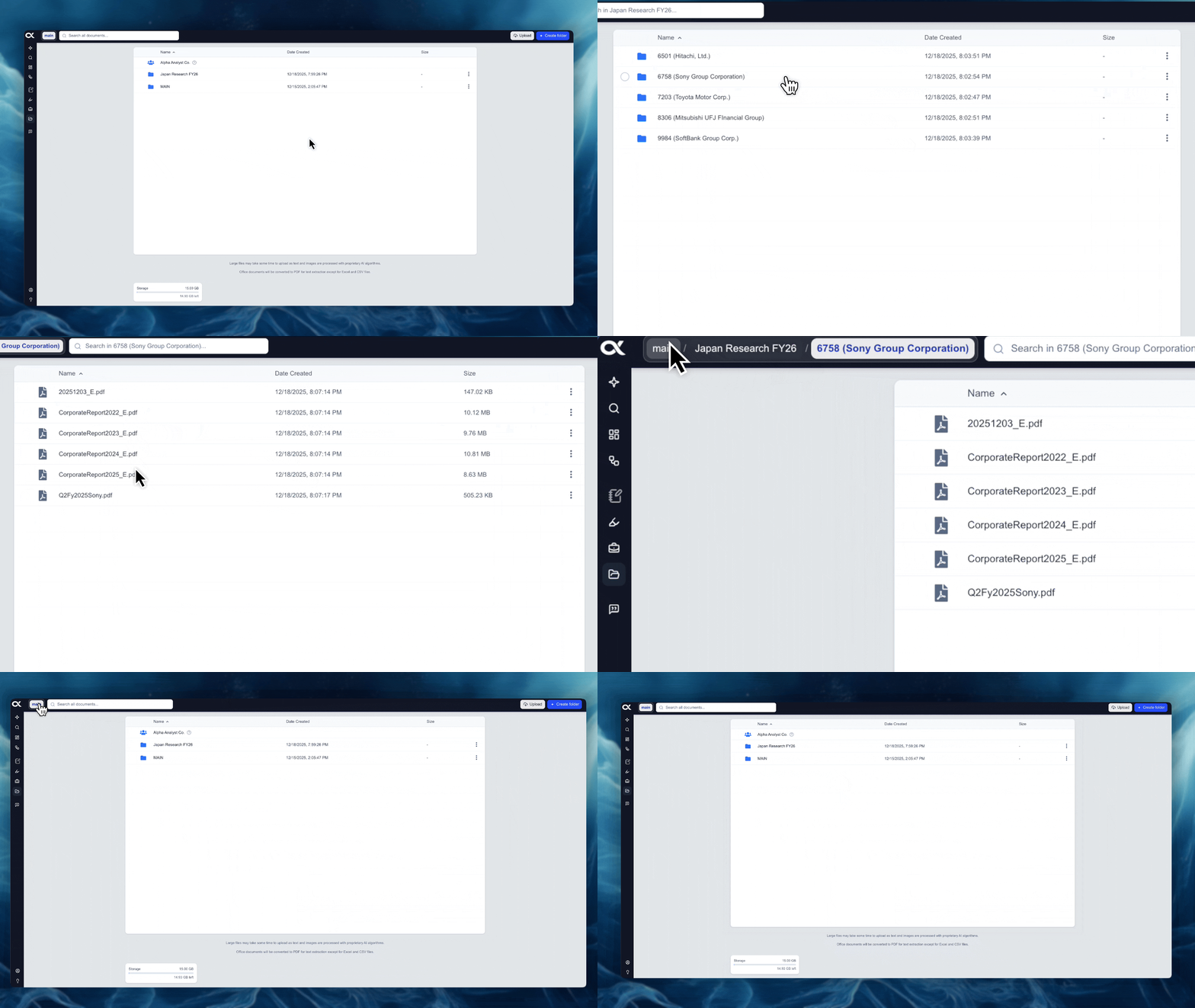
Viewing Contents: Simply click on a folder to open it and view all the files and sub-folders it contains.
-
Path Navigation: A folder path (breadcrumb trail) is displayed in the top-left section of the interface. This path allows you to click on any previous folder name in the sequence to jump back to that specific level instantly.
Uploading and Deleting Content
You have flexible options for both adding and removing files and folders from your personal library.
-
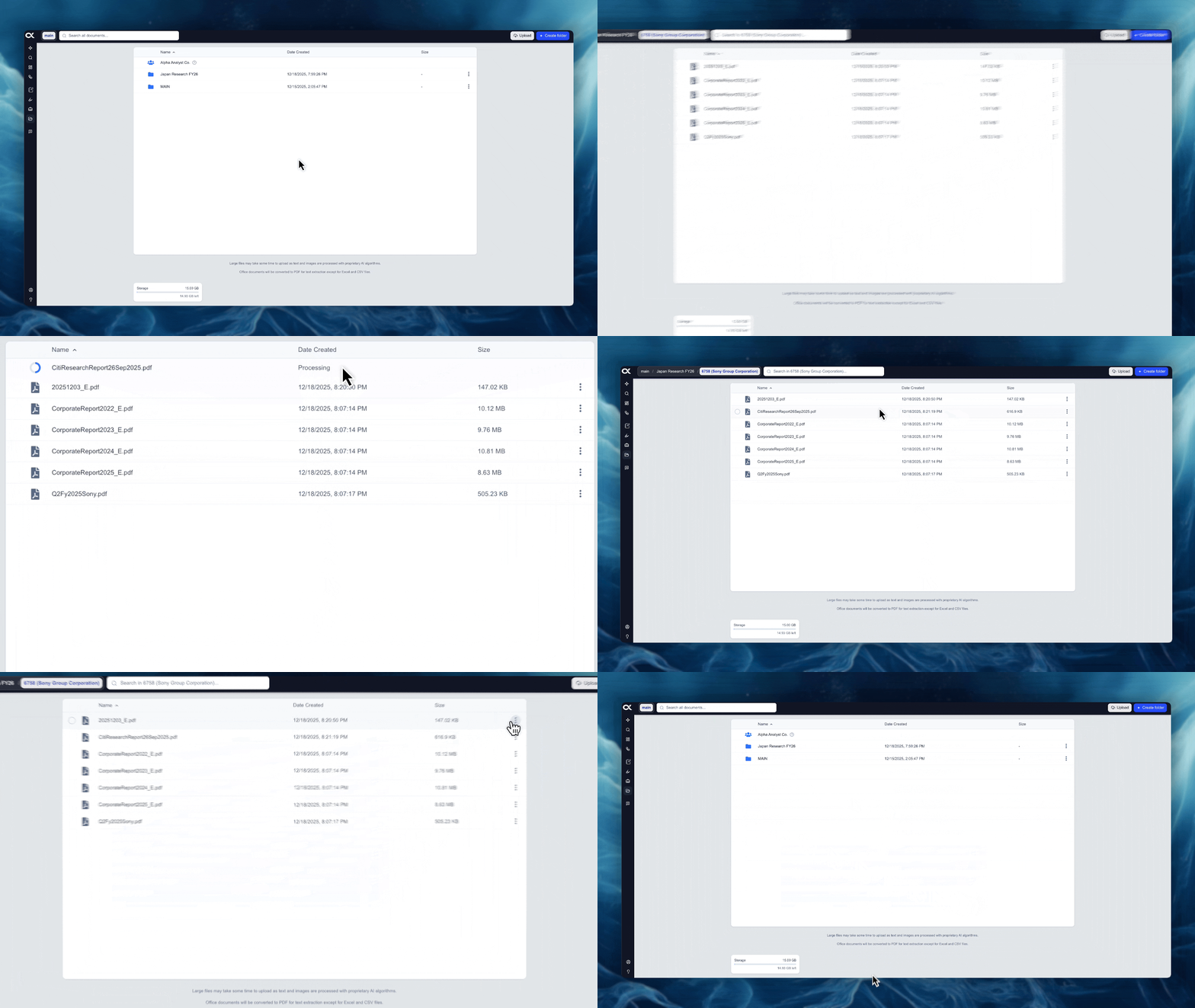
Uploading: Integrate documents by clicking the "Upload" button or by dragging-and-dropping files and/or folders directly from your computer into the Files interface.
-
Deleting:
- Bulk Deletion: Select multiple items using the circle check box and click the "Delete" button at the top right.
- Individual Deletion: Click the elipsis menu next to a single item and select "Delete".